
Article 9 of 9 · PMWEB for Contractors and Subcontractors
Governance at Scale, and AI
The first eight parts of this series followed a project from opportunity to handover. This final part looks at what makes it work across fifty projects instead of five: workflows that enforce the delegation of authority, a personal list of actions for every user, real-time project and portfolio performance reporting from site to board, controlled access for everyone outside the company, and AI working on data the company can trust.
Every Approval Follows Your Delegation of Authority
In PMWEB, every form has a workflow designed in the workflow designer: who prepares it, who reviews it, who approves it, and in what time. Approval routes branch automatically by value, type, project or company. The delegation of authority is not a document on the intranet; it is the route every transaction takes.
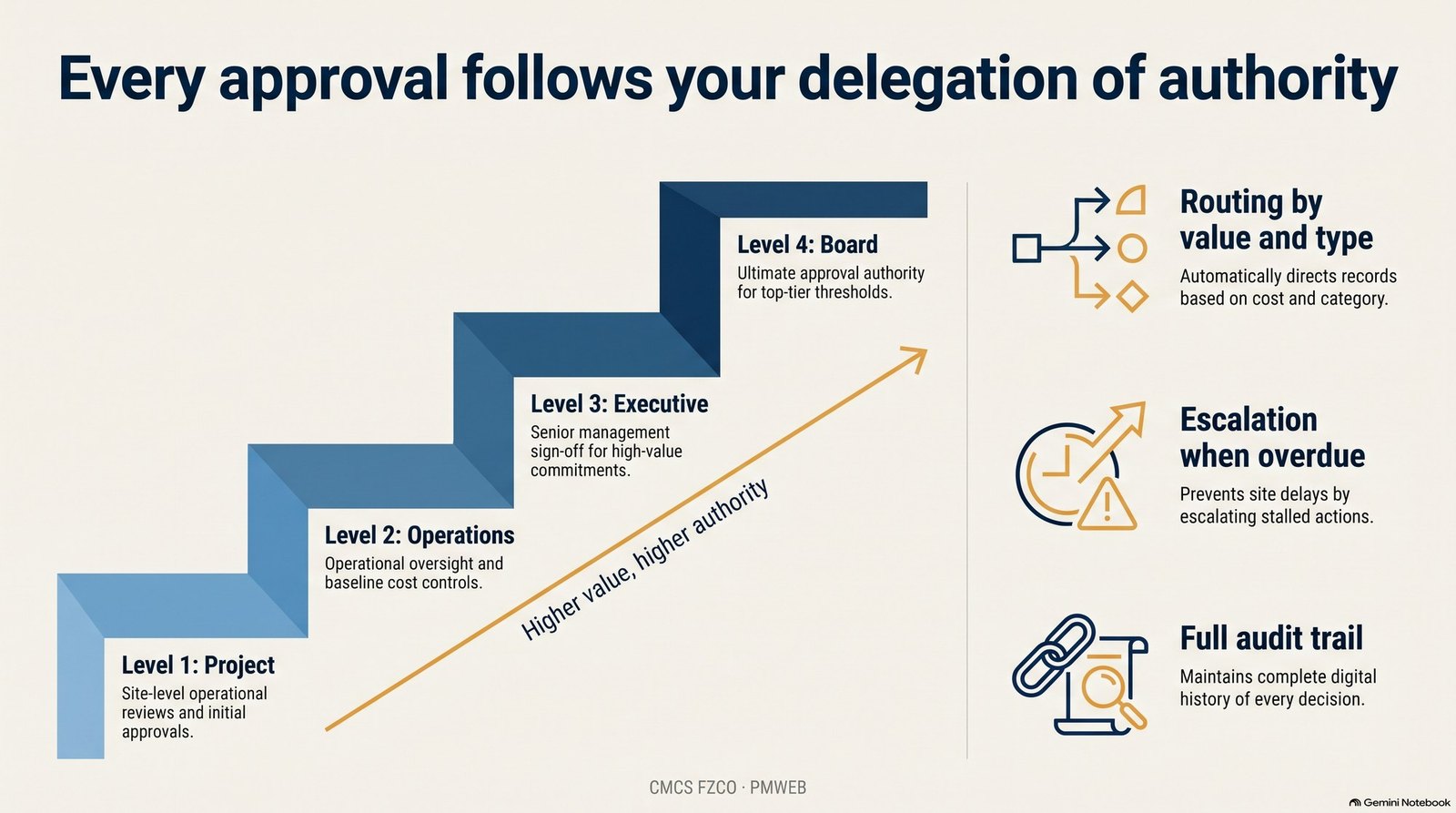
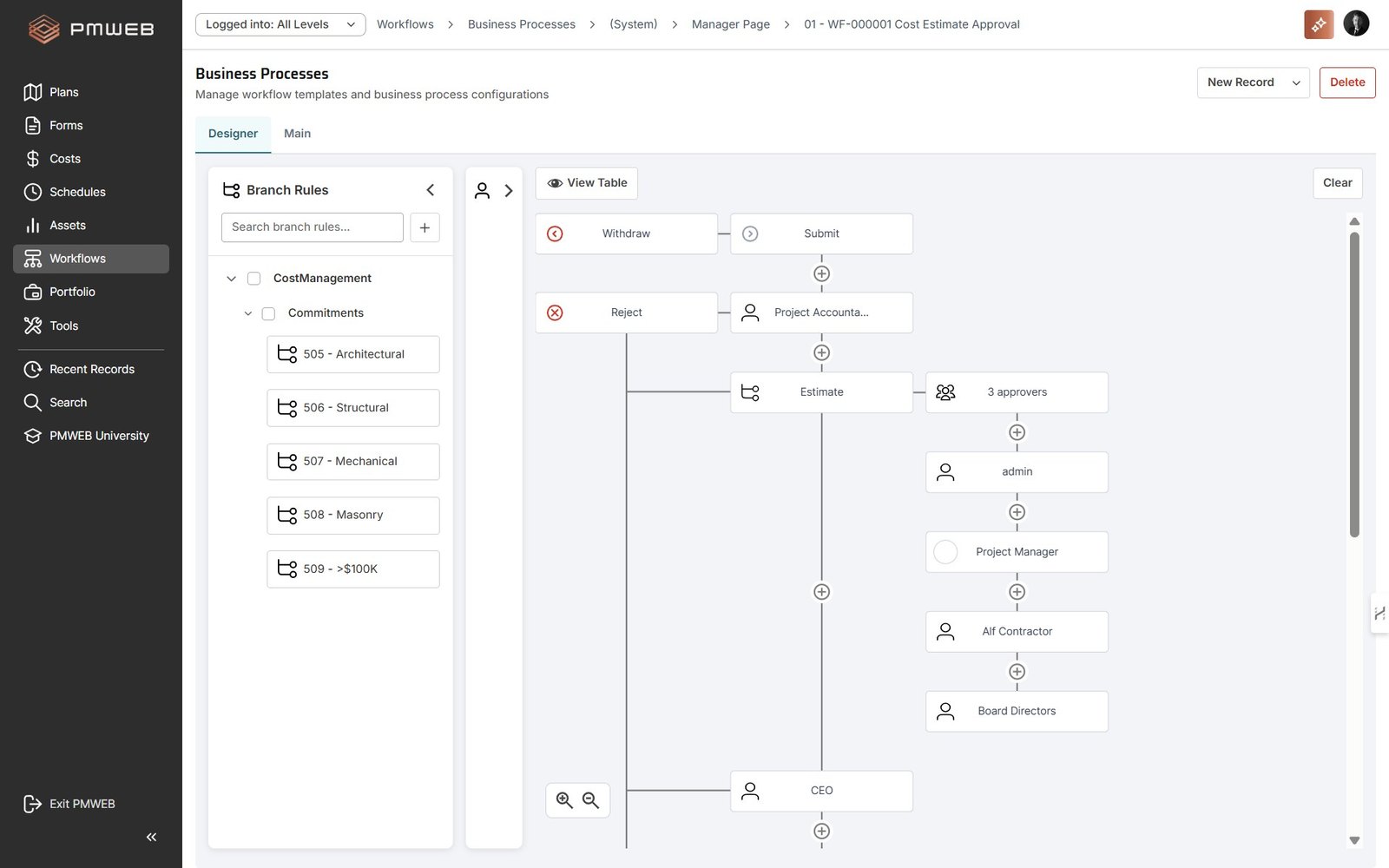
- Routing by value and type: a small purchase order stops at the project manager; a large subcontract goes to the managing director.
- Escalation when overdue: stalled actions move up automatically, so site work is not held by an absent approver.
- Full audit trail: every action is time-stamped and attributed, ready for auditors, banks and clients.
A Personal Landing Page of Open Actions
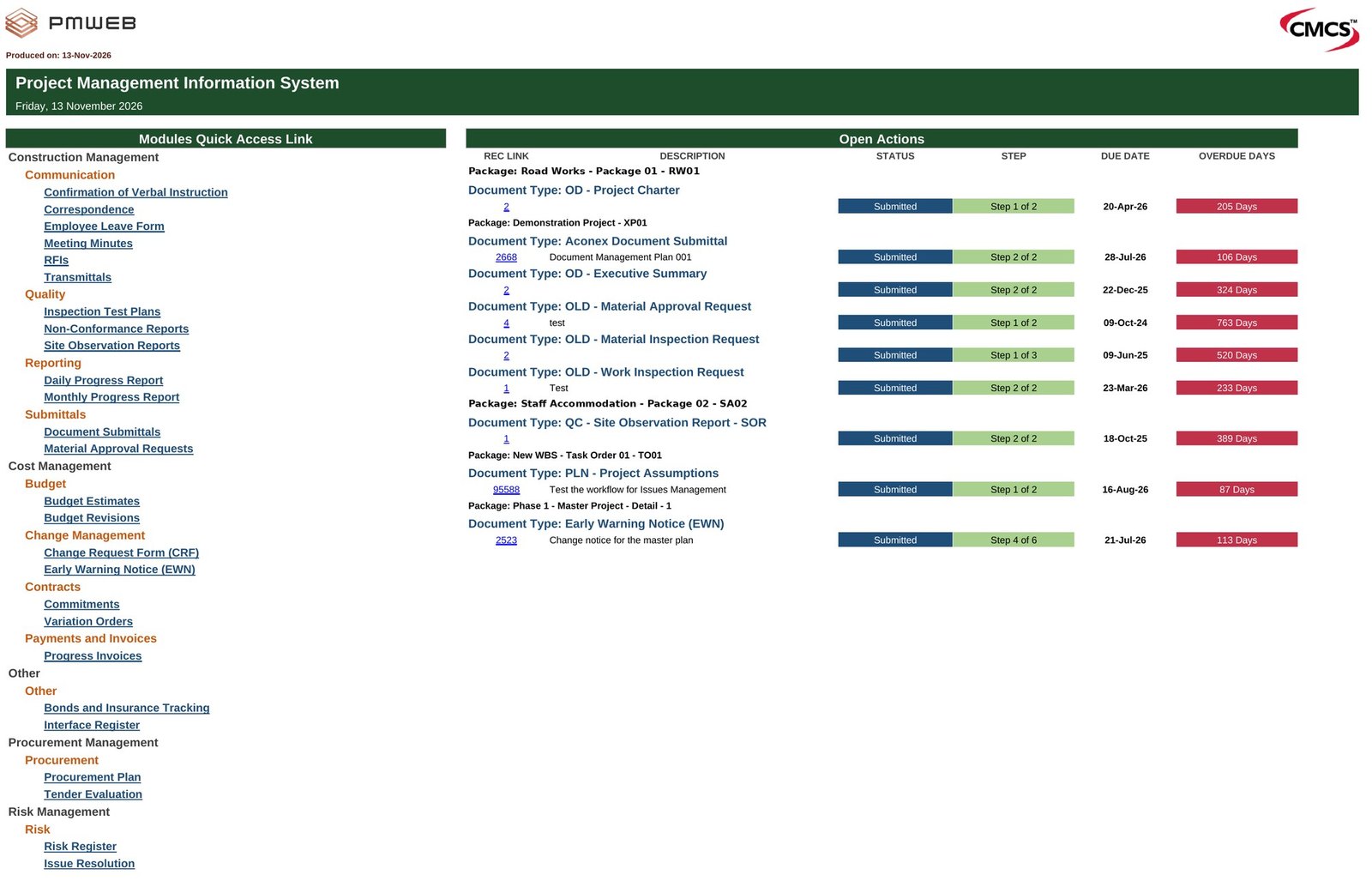
Because every process has a workflow, PMWEB knows what each person must do next. Every user opens PMWEB to a landing page of quick links and open actions: the submittal to review, the invoice to approve, the early warning to assess, with due dates and days overdue. Nobody needs to search their inbox for what is waiting on them, and managers can see who is holding up whom.
One Source of Truth, From Site to Board
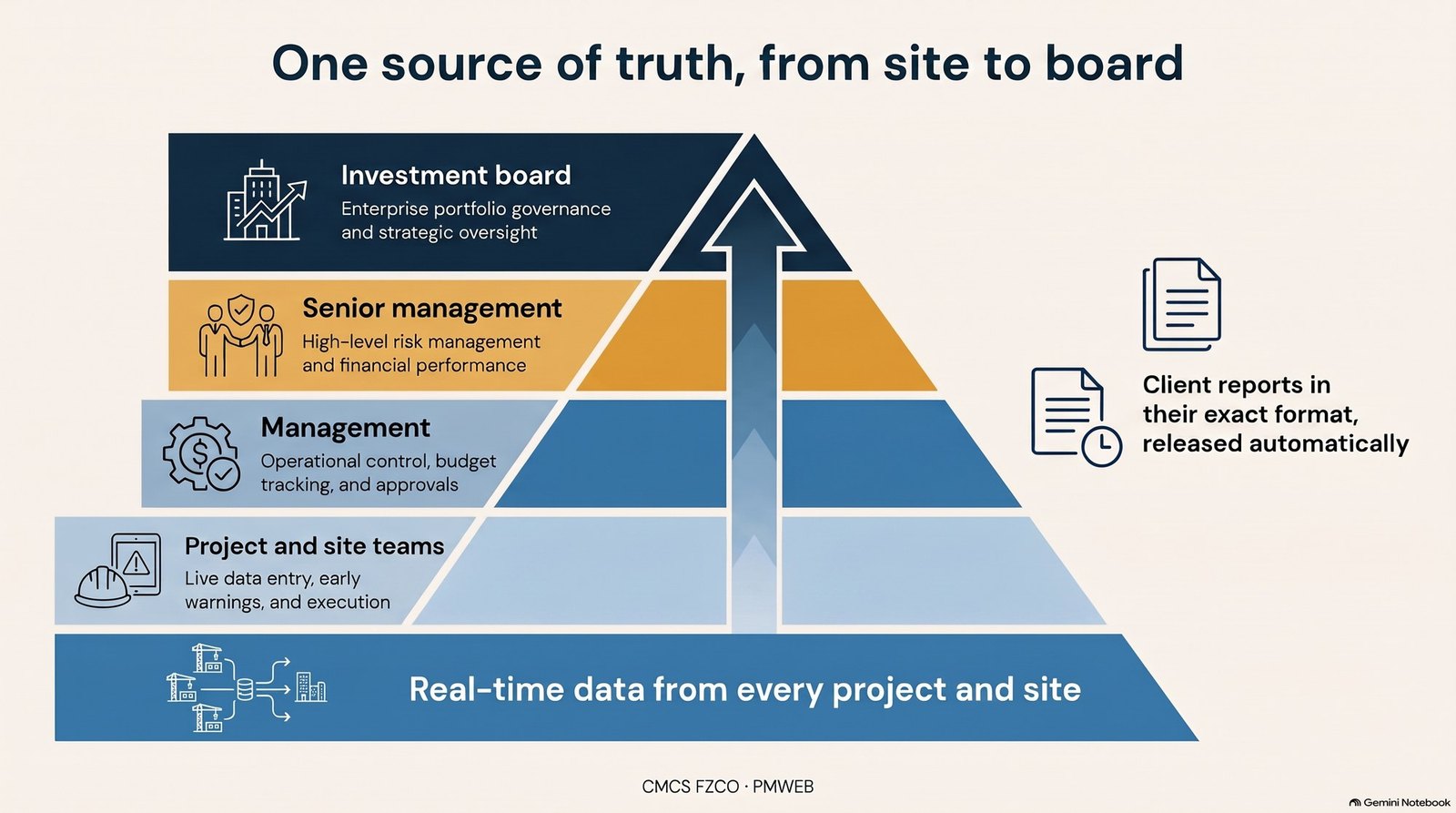
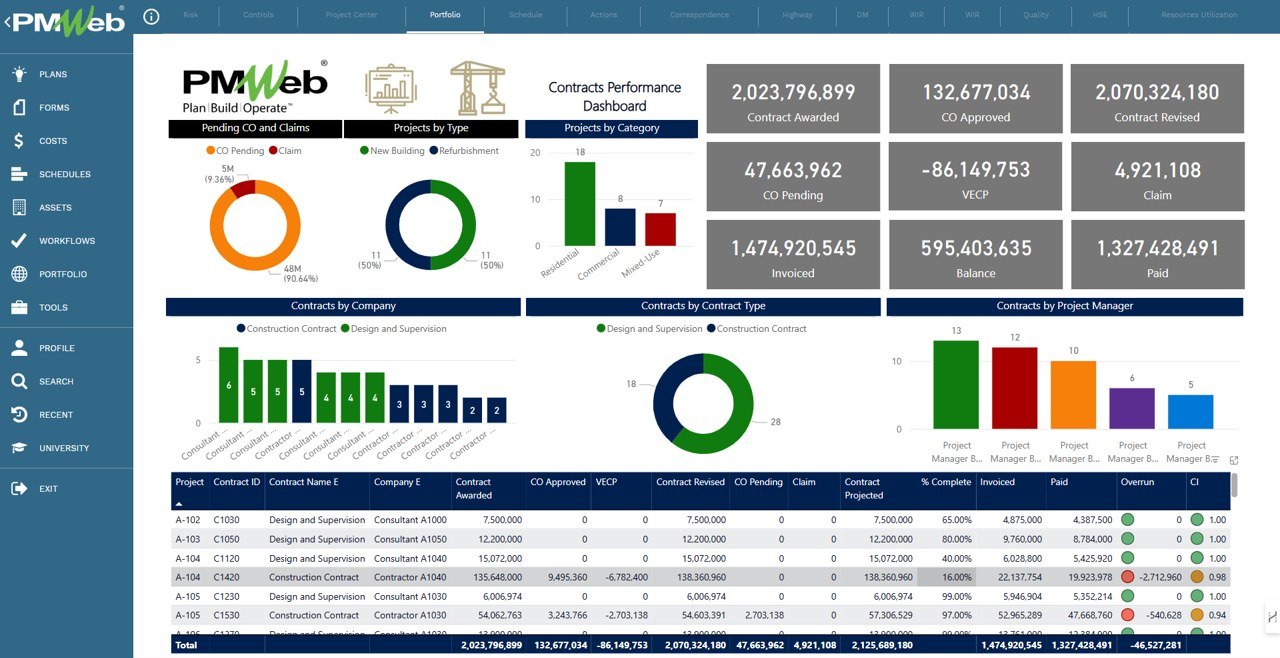
Every record created on site rolls up into the same database that feeds management dashboards. The board sees the portfolio, senior management sees risk and financial performance, project managers see their projects, and site teams see their actions, all from the same live data. Client reports in the client's own format are produced from the same records, so the contractor reports once and reports consistently.
Project and Portfolio Performance: Managing the Business, Not Just the Projects
For a fast-growing contractor, the greatest risk is rarely one bad project. It is not knowing which project is going bad until the month-end report, or worse, the year-end accounts. By then the overrun has been absorbed, the change orders have gone unclaimed and the cash has been spent. Management needs to see performance while it can still act on it.
One Page per Project, Showing What Matters Most
Each project in PMWEB has a progress report dashboard that gives management, on one page, the few things that decide whether the project will succeed: completion against plan, critical issues and how they are being resolved, milestones and their slippage, planned against earned progress by package, cash flow, and the cost position from budget to commitments, potential variations, risk items and estimate at completion. Site photographs show the reality behind the numbers.
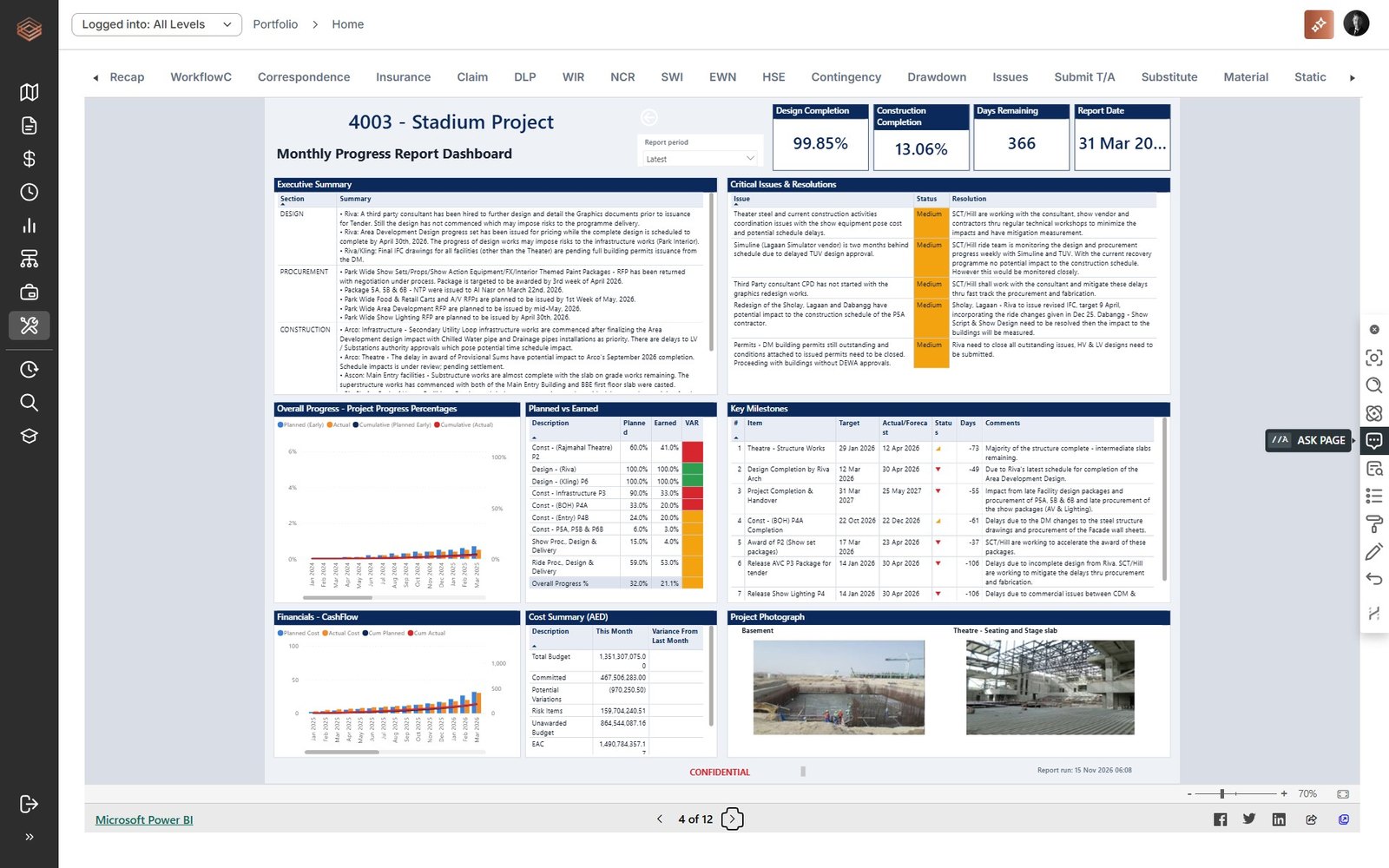
Because every figure comes from records the project team captures every day (progress updates, commitments, change events, invoices, early warnings, documents), the report is available at any time. It is not assembled by the project team at month-end, and it cannot be dressed up: it shows what the records show.
One Portfolio View, From the Same Data
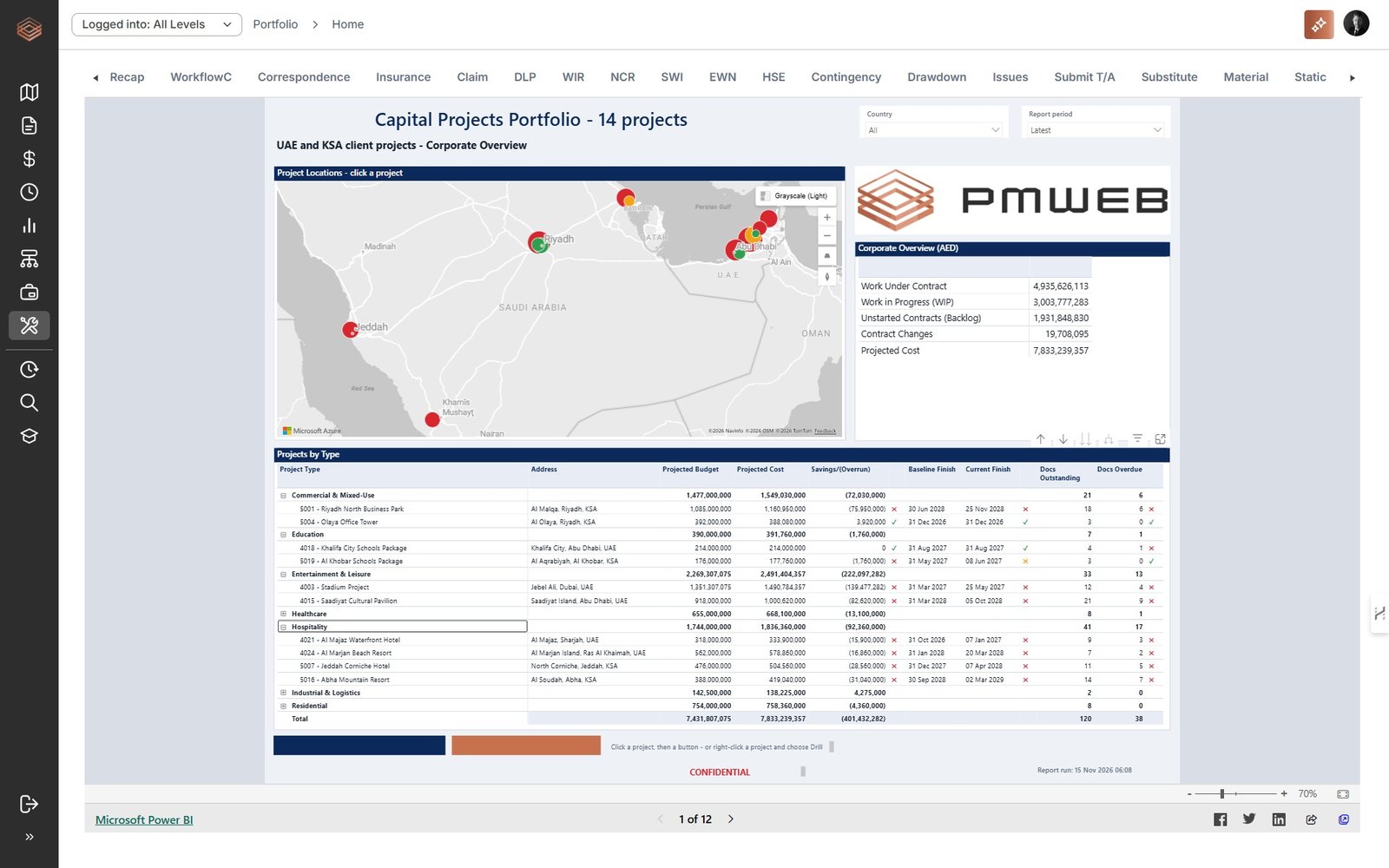
The same records roll up into the portfolio dashboard. The board and senior management see every project on one screen: where it is, the value of work under contract, work in progress and backlog, contract changes, projected budget against projected cost, savings or overruns, baseline against current finish, and documents outstanding and overdue. Red flags point to the projects that need attention; one click opens that project's own report.
| Management need | Question the dashboards answer | Decision it supports |
|---|---|---|
| Margin | Which projects are eroding margin, and why? | Recover changes, correct overruns early |
| Cash and funding | Where is the cash gap, and how much facility headroom is left? | Chase collections, plan bank facilities ahead of need |
| Capacity | Which projects are behind and short of resources? | Move engineers, crews and plant between projects |
| Exceptions | Which few projects need management attention this week? | Spend management time where it matters |
| Stakeholders | Can the board, banks and clients trust our numbers? | Report once, consistently, from one source |
| Growth | How much more work can the portfolio carry? | Set bid targets with confidence (Part 2) |
The key is that project reports and the portfolio dashboard draw on one data source: the records captured on every project in PMWEB. There is one version of the truth. Nobody spends the first week of every month reconciling spreadsheets, and the numbers management sees are the same numbers the project team works with.
Controlled Access for Everyone
Contractors work with clients, consultants, subcontractors and suppliers. PMWEB gives each of them role-based access to exactly what they need and nothing more: clients see their project's performance; subcontractors submit bids, submittals and payment applications; suppliers update deliveries. External parties work in the contractor's system, under the contractor's rules, and the data stays with the contractor.
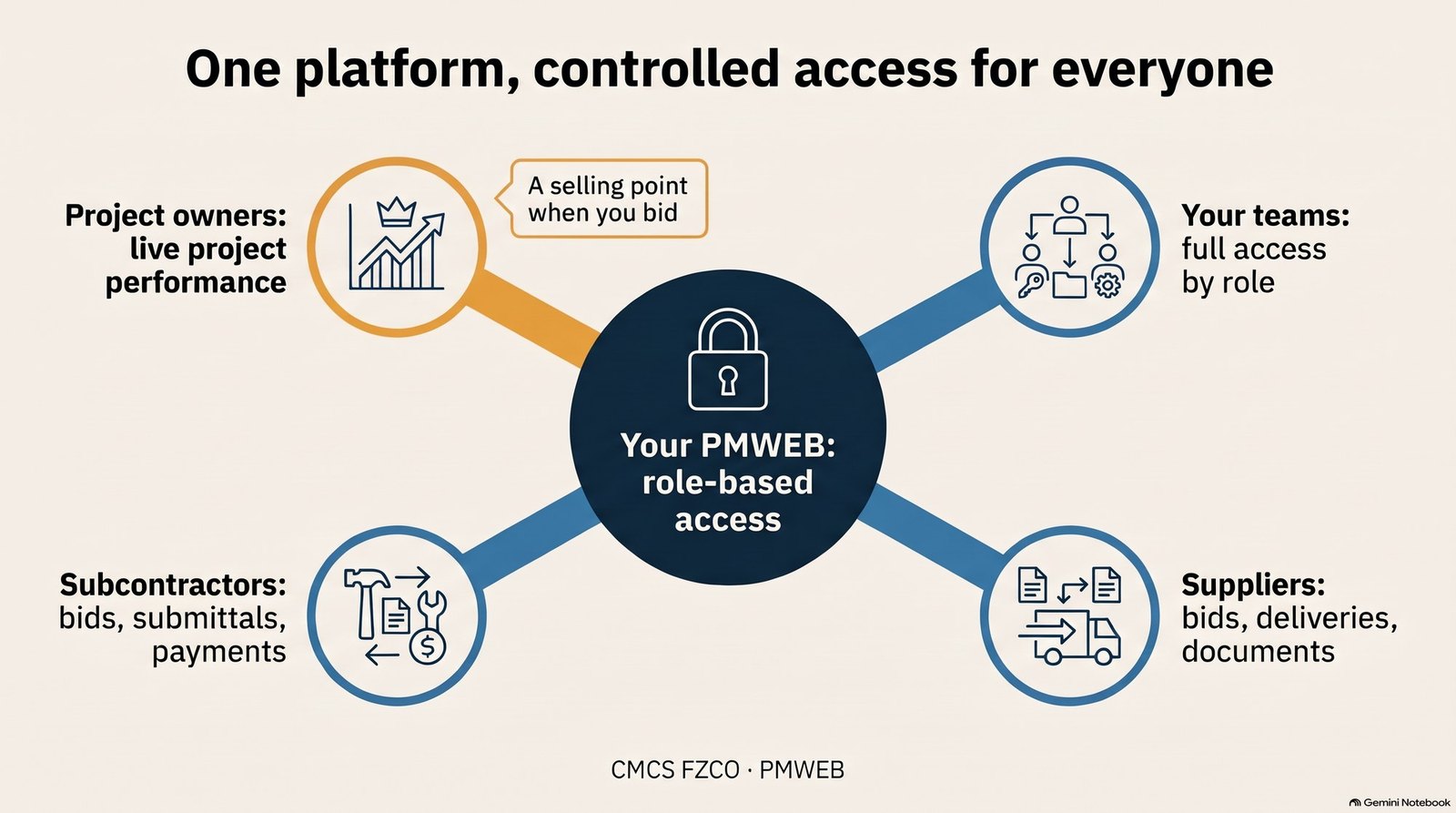
For many clients, this is a selling point at tender: a contractor that can offer live, controlled visibility of its project performance stands out from one that sends a monthly PDF.
PMWEB 2026 AI, Working on Your Data
PMWEB 2026 embeds an AI assistant in the platform. Users ask questions in plain language; the assistant finds the records, summarises them and links back to the source. Because it works inside PMWEB, it respects each user's access rights.
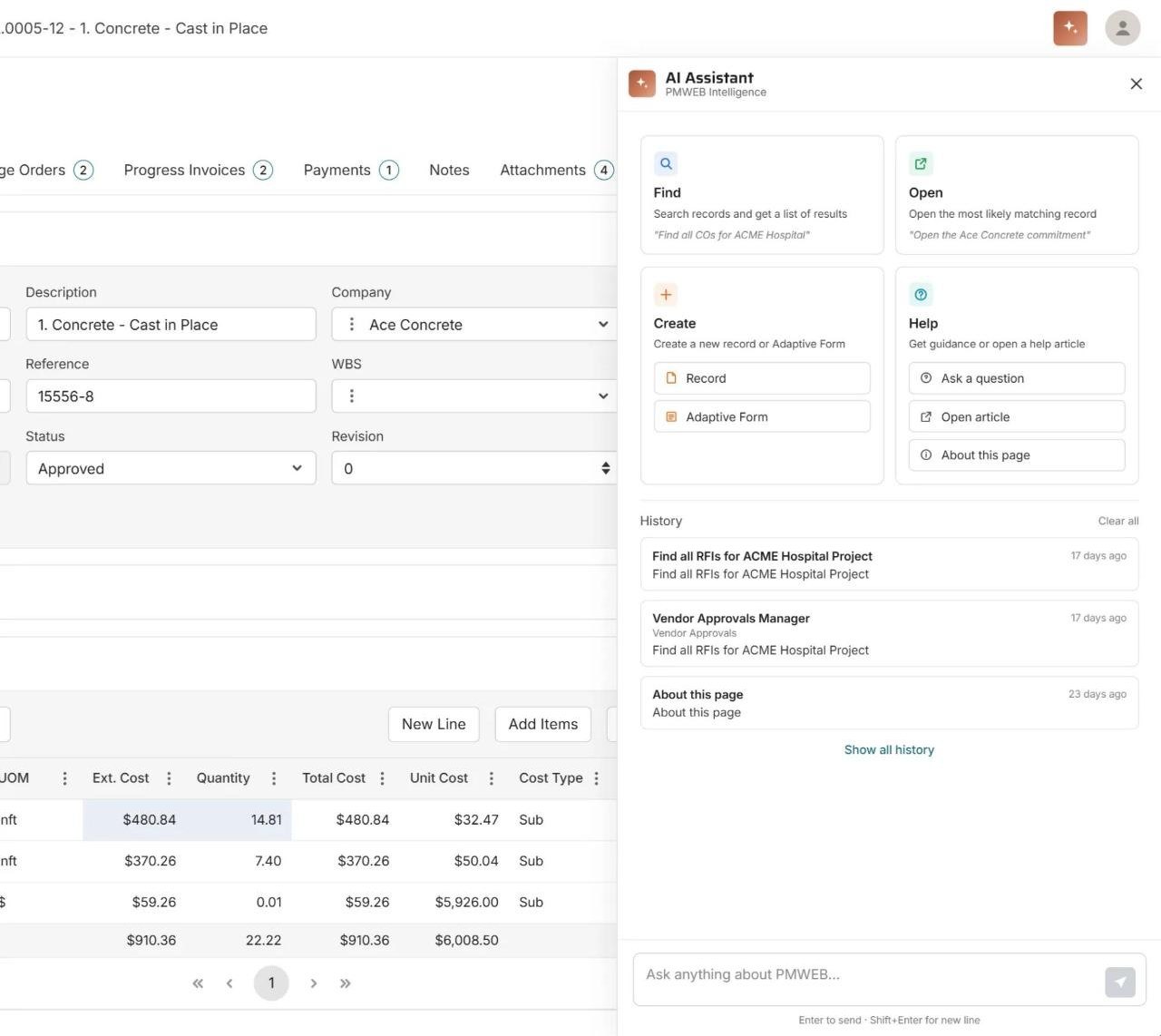
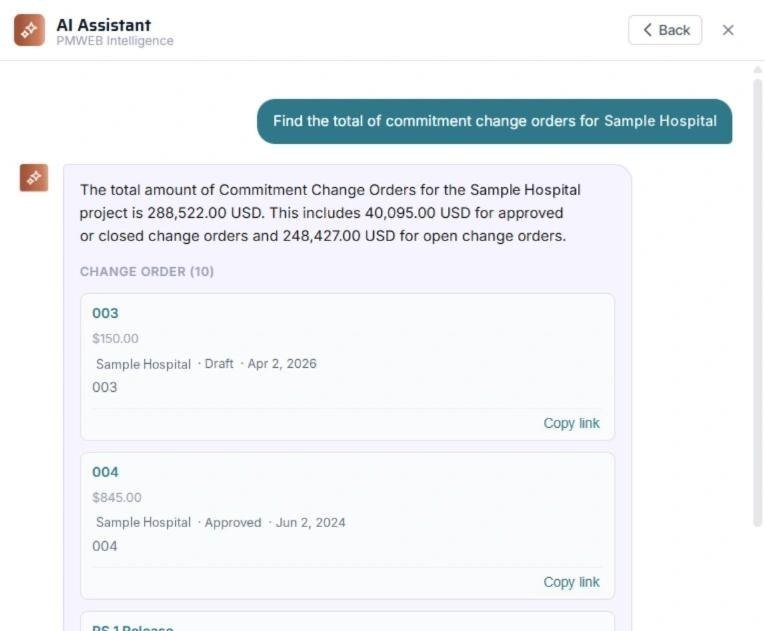
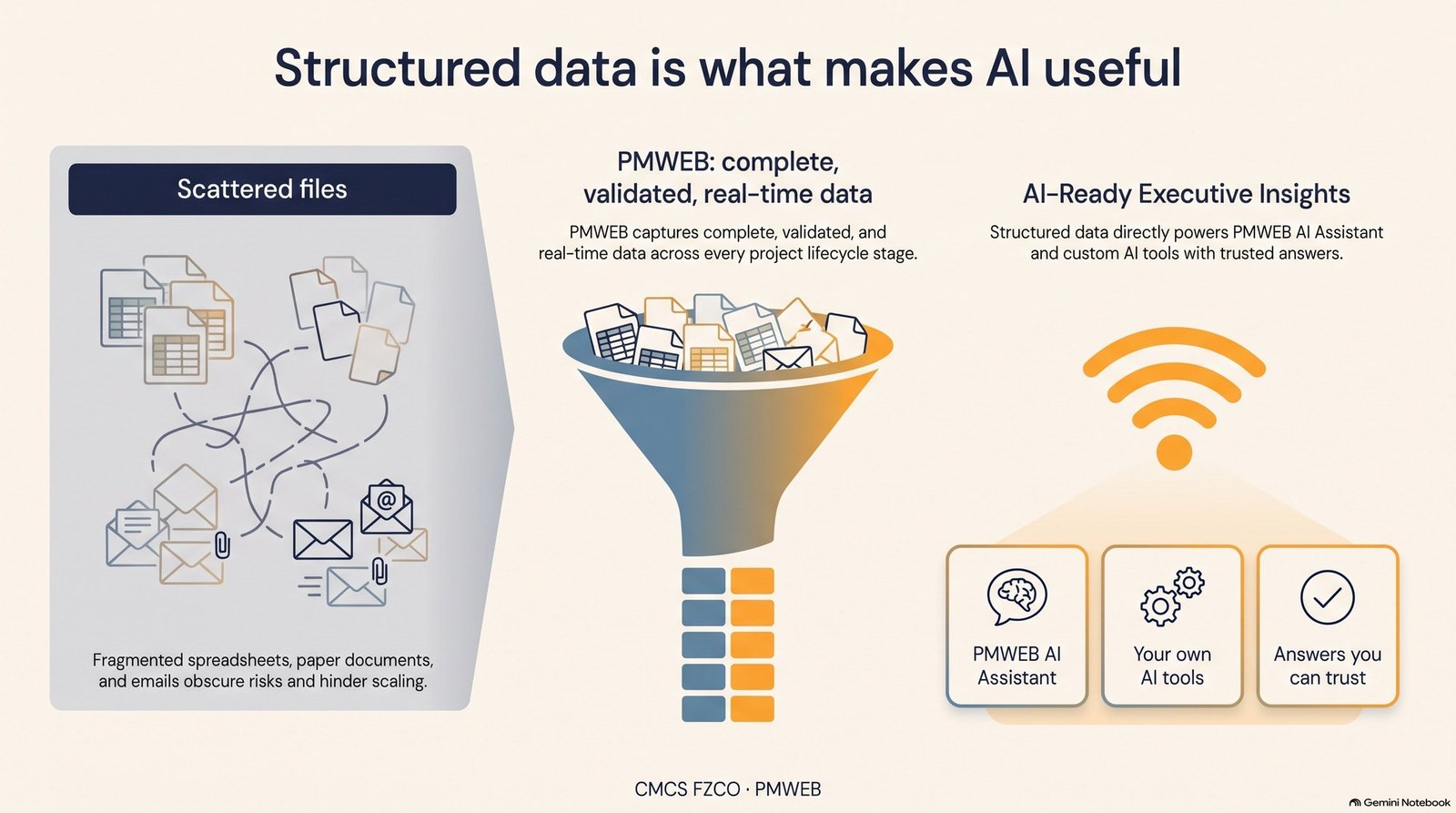
The same structured data can be made available to third-party AI tools through secure connectors, so companies can build their own use cases on it. In every case, the rule from Part 1 holds: no data, no AI. AI is only as good as the data it reads, and data is only good when every process runs through the system.
Bringing the Series Together
| Part | Topic | What PMWEB enforces |
|---|---|---|
| 1 | Governance, built into every project | Accountability, transparency, real-time reporting, continuous improvement, AI readiness |
| 2 | Winning the right work | Every opportunity registered; formal bid/no-bid decision |
| 3 | One estimate, three outputs | Tagged estimates; budget at true cost; price strategy visible |
| 4 | Buying out the job | Prequalified vendors; online sub-bids; awards within authority |
| 5 | The accountable project team | Internal commitment; 100% buyout; reward on results |
| 6 | Both sides of every contract | Prime contract and commitments connected; cash and funding live |
| 7 | Early warning, risk and claims | Everyone reports; PCOs priced on both sides; every document captured; claims settled during delivery |
| 8 | From site to handover | Records linked to schedule and equipment; handover from day one |
| 9 | Governance at scale, and AI | DoA workflows, open actions, project and portfolio performance reporting, controlled access, AI |
Key takeaway
Governance at scale is not more people checking more spreadsheets. It is a platform where every transaction follows the delegation of authority, every person sees their own open actions, management sees each project and the whole portfolio in real time from one data source, every stakeholder sees the same truth within their access rights, and the resulting data makes AI genuinely useful. That is how contractors and subcontractors grow without losing control.

Next step
Bring this to your portfolio.
Tell us which processes matter most to you, and we will show them running in PMWEB.